 Beam
Beam AI
AI chat and models
Ask from the launcher, continue in a window, and choose where the model runs.
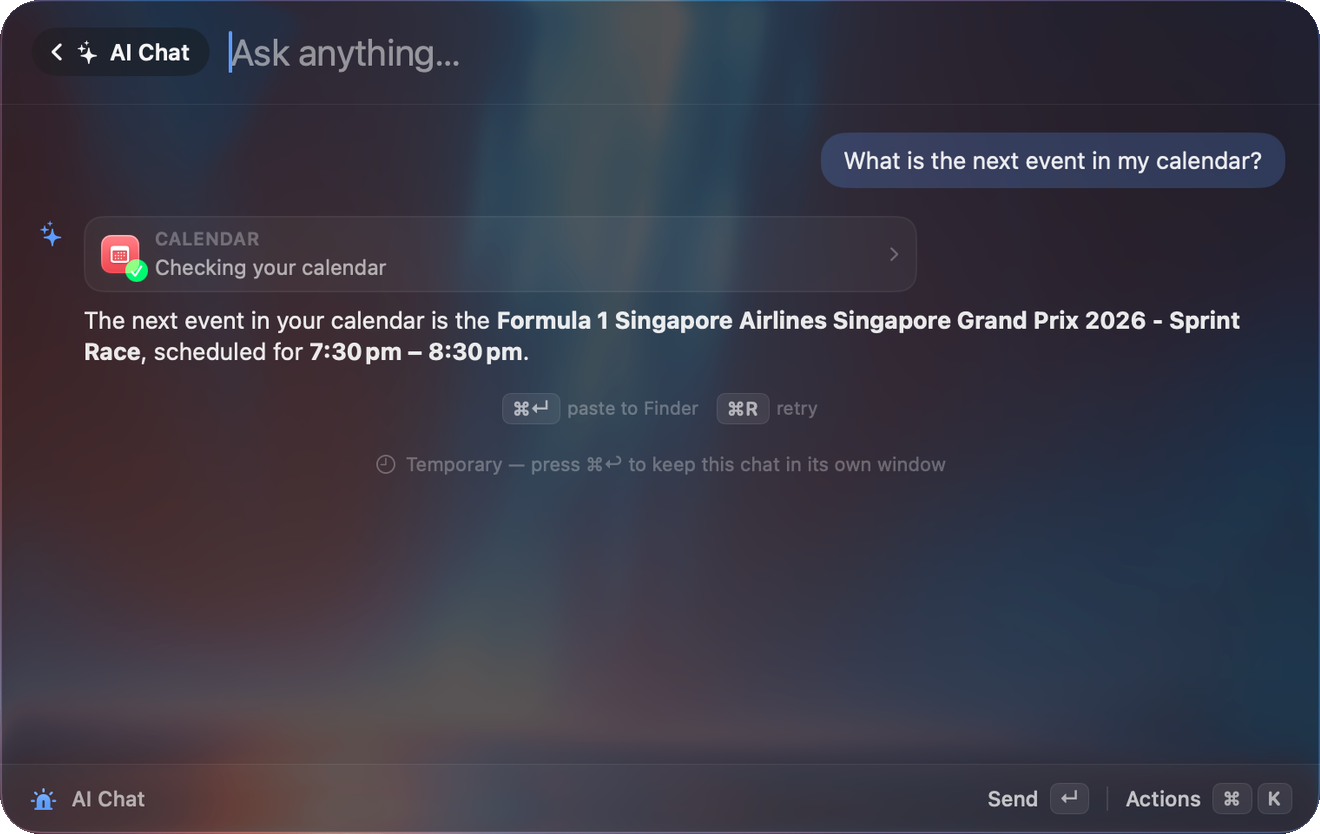
Ask
Type a question and press Tab instead of Return. The answer streams in the launcher. Or search ai chat to open a conversation, or use the deep link beam://ai?q=….
Asking from the launcher is temporary. The conversation disappears unless you keep it with ⌘↵, or ⌘K then Continue in Window. After an answer, ⌘↵ pastes it into the app you came from, ⌘R regenerates and ⇧⌘R retries with the quick model. A chip shows which model is answering and how long it has been thinking.
Quick model
Settings → AI → Quick Model picks a faster provider for Tab-to-ask. The chat window keeps your full-strength model.
Models
| Where | Provider | Default model |
|---|---|---|
| On your Mac | Apple Intelligence (macOS 26, eligible Mac) | Built in |
| On your Mac | Ollama (localhost:11434) | llama3.2 |
| On your Mac | LM Studio (localhost:1234) | |
| Cloud, your key | OpenAI | gpt-5-mini |
| Cloud, your key | Anthropic | claude-sonnet-4-5 |
| Cloud, your key | Gemini | gemini-2.5-flash |
| Cloud, your key | Groq | llama-3.3-70b-versatile |
| Cloud, your key | Mistral | mistral-small-latest |
| Cloud, your key | OpenRouter, DeepSeek, xAI, Z.ai | |
| Anywhere | Custom OpenAI-compatible endpoint | Default http://localhost:8080/v1 |
API keys are stored in the macOS Keychain. Replies stream. Reasoning from local models such as Qwen and DeepSeek R1 is collapsed by default. Long replies collapse with Show more.
Chat window
Press ⌘↵ with a launcher chat to promote it to a window. It adds a conversations sidebar with search, rename and pin from hover icons, a model switcher, Edit and re-send, copy buttons on code blocks, Copy and Retry on hover for each reply, and tool activity that is kept when you reopen a chat. The window remembers where you put it.
| Key or control | Does |
|---|---|
| ⇧⌘S | Toggle the conversation sidebar. |
| ⌘F | Find in the conversation. |
| ⌘+ ⌘− ⌘0 | Text zoom. |
| ⌘R | Regenerate. ⇧⌘R uses the quick model. |
| ⌘N | New chat. |
| ⌘W | Close. |
| Pin control | Keep the window on top. |
| Person icon | Pick an agent for this chat. |
If you send another message while the model is working, it is queued with Steer and cancel buttons. Steer interrupts and sends it now. If a run takes more than 30 seconds Beam notifies you when it finishes. Chats you keep in the window are saved, searchable, and listed in the launcher under AI Chat History, where you can continue or delete them. With an empty query, ⌘↵ pastes the last answer.
Things you can say
| Ask | What happens |
|---|---|
| What does this error mean? | Beam captures the frontmost window and reads it. The first time it offers a button to grant Screen Recording. |
| What shipped in the latest macOS update? | The AI searches the web and cites sources as links. |
| Can Beam convert currency? | The AI searches Beam's own manual instead of guessing. |
| Left Safari, right Slack | Each app comes forward and snaps into place. |
| Make a snippet with my email under ;mail | The AI builds it after your OK. It appears in Settings at once. |
If something is not set up, such as calendar access, snippets or Ollama, the reply includes a one-click action button like Connect Calendar. For local models, install Ollama and run ollama pull llama3.2. Beam finds it automatically.
Settings
Settings → AI lets you turn AI off entirely, and every AI feature disappears from Beam. It also holds the main model, the quick model, keys and tools. Tools sit under Settings → AI → Tools.